


Your Evals Have Two Users
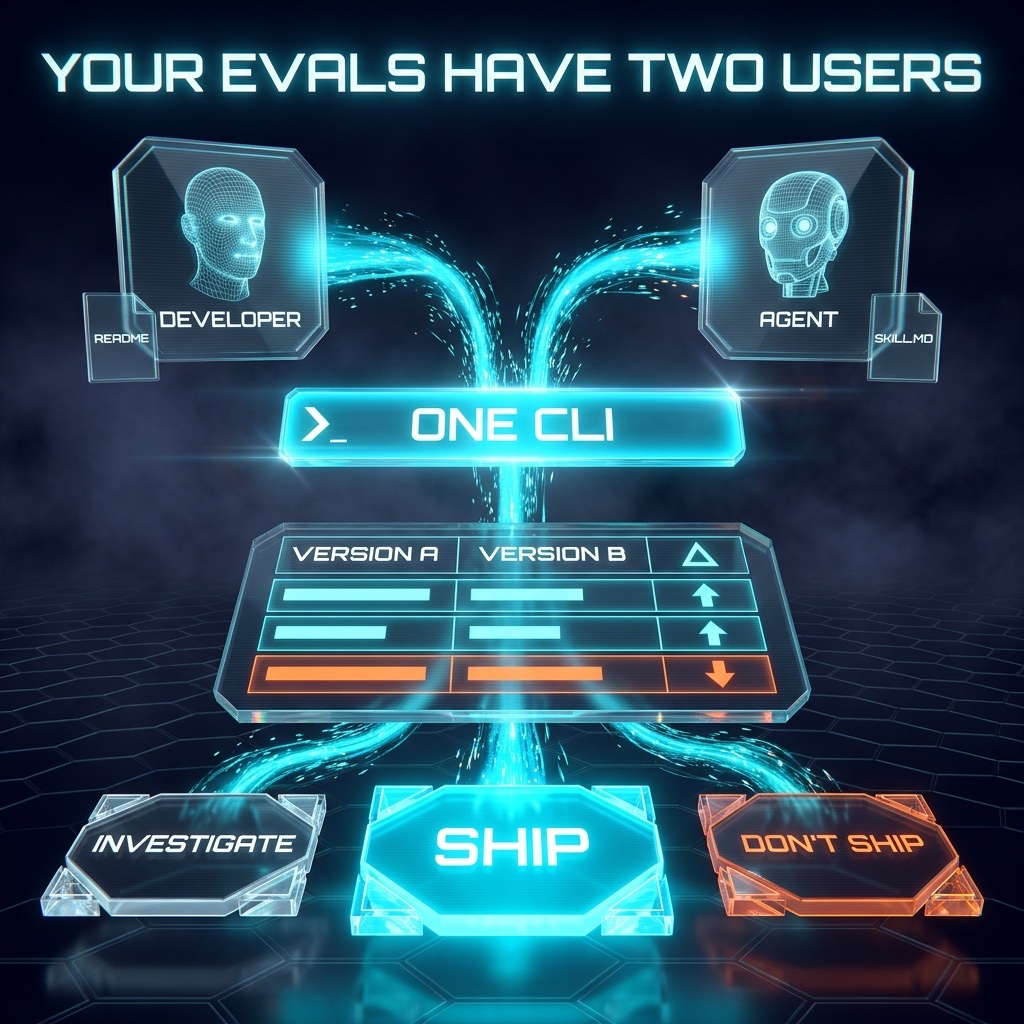
Most advice about LLM evals is about rigor: calibrated judges and real statistics. All of it is worth doing, and none of it matters if nobody runs the thing. Your eval harness now has two users, a teammate on a deadline and a coding agent looking for the shortest path to green. Build for both of them, make the A/B comparison one command, and the rigor finally gets used.

You can freeze your prompts, exercise the real code path, write realistic cases, and calibrate your judges, and still end up with an eval nobody runs. Every one of those steps assumes somebody types the command.
An eval nobody runs protects nothing.
One Command Per Action
Friction decides what happens after a prompt change. If comparing two versions means hunting for a script and decoding its output, your teammate will eyeball one response and ship it. A coding agent hitting the same wall burns tokens reverse-engineering your harness, or skips the step and tells you it looks good.
So give every common action its own command:
evals verify                                                   # frozen versions and harness intact
evals run <eval> --arm next --repeat 5                         # run the candidate
evals case add <eval> --file cases/new-case.yaml               # add a provenance-tagged case
evals compare <eval> --a v0.1 --b next --repeat 5              # side by side, with deltas
evals check <eval> --baseline v0.1 --candidate next --repeat 5 # non-zero exit on a blocker
evals baseline update <eval> --arm v0.2 --reason "approved release"
These names are a suggested interface. There’s no evals package to install, so adapt them to your repo. My own harness is hand-rolled and runs with bun eval.
case add is the sleeper. When a bug report takes thirty minutes to turn into a test case, it stays in Slack forever. Make it cheap and every real failure becomes a permanent regression test.
Speed counts here too. Run a fast smoke suite on every PR and the full gate before release. Cycle time is the product, and your eval suite has one.
A/B Is the Primitive
A score alone can’t make a decision. Your eval says 87%. Compared to what? The question before a release is always relative: is the new prompt better than the one users have today, and what does the improvement cost? So compare should be the command you run most, and its output should show the old version, the new version, and the difference on one screen.
Here’s real data from March. I was improving the prompt for a research agent that looks people up by name, and I tracked three behaviors: finding the right person when the user misspells the name, trying again when a search comes back empty, and reading past the first page of results. I ran the old prompt (v0.1) and the new one (v0.2) ten times each. Laid out the way compare should print it:
$ evals compare people-lookup --a v0.1 --b v0.2 --repeat 10

behavior                        v0.1    v0.2      Δ
finds person, misspelled name   0/10   10/10    +10
retries an empty search         2/10   10/10     +8
reads past the first page       pass    pass      0

tokens per run                                 +680
seconds per run                                +2.8
Average the three pass rates and you get 0.4 before and 1.0 after. That’s accurate and nearly useless. It can’t tell you which behavior changed, whether anything got worse, or what you paid. The side-by-side answers all three. Two behaviors were fixed, one held steady, and every run now costs 680 more tokens and 2.8 more seconds. Because quality and cost print together, nobody ships the gain without seeing the bill.
Three habits make those numbers trustworthy.
Freeze what shipped. A comparison only means something if the old side can’t move. Store each released prompt as its own file (v0.1, v0.2, and so on), record a SHA-256 hash of each, and have a test fail if a single character changes. Do all your editing in one file, next. You always know where to work, and the baseline stays exactly what users got.
Test what shouldn’t change. Most of your cases will reproduce bugs. Add ordinary requests the agent already handles well, at least one for every two bug cases. If a fix overcorrects, say the agent starts “correcting” names that were spelled right, those cases drop and the Δ column shows a negative number you weren’t looking for.
Repeat every case. The same prompt and input can give different answers, so one run proves nothing. Five runs per version is the minimum for spotting cases that pass sometimes and fail other times. That isn’t enough for statistical confidence, so print the counts (0/10, not 0%) and readers can see how much data sits behind each number. I use ten.
Agents Need Different Ergonomics
Your teammate reads README.md: setup and how to interpret a report. Your agent gets a skill file like .agents/skills/offline-evals/SKILL.md, discoverable from AGENTS.md, with exact commands, required arguments, output paths, and exit codes. Both document the same CLI. It’s the same idea as giving an agent a menu instead of a mystery, pointed at your own tooling.
An agent shouldn’t have to interpret a paragraph to learn whether it passed. Give it an exit code and a machine-readable artifact at a known path, and it can close the loop on its own: edit next, run compare, read the deltas, try again. You stop being the sensor.
Now the dangerous part. Tell an agent to make a check pass and it will find the easiest way there. The easiest ways are editing the frozen prompt, or re-baselining: running baseline update so the failing result becomes the new expected one. The hash check catches the first. For the second, make baseline update demand a reason and an approval record, and have CI reject anything without them.
Never re-baseline just to turn a failing check green.
Write that rule in the skill file, then enforce it in code, because a sentence in a markdown file is only a request.
Stale docs hurt agents more than people, too. A teammate hits a dead example and asks around. An agent follows it with total confidence. So run the documented commands in CI, and change the docs and the CLI in the same PR.
Easy Doesn’t Mean Trustworthy
A one-command eval built on bad cases just gets you wrong answers faster. Your cases still need to call the same entry point production uses, and grade the tool calls the agent makes along with its final text. If an LLM grades the output, check its grades against 50 or more human labels before it’s allowed to block a release. That rigor is the hard part of offline evals, and ergonomics only decide whether it runs.
The output needs the same care. Nobody reads a twelve-page report, so lead with one verdict: ship, don’t ship, or investigate. That third answer matters most for tooling. Inconclusive results go to a human for review and never quietly count as passes.
Run the Two-User Test
You don’t need a production incident to start. Ten realistic cases, a frozen v0.1, a next, and a compare command will do.
Then test the workflow itself. Hand a new teammate the README and ask them to compare next against v0.1. Hand a fresh agent the skill file and ask for the same thing. Everywhere either one gets stuck or opens the harness source, you’ve found your next fix.
Your evals have two users. If either one has to read the harness to use it, you aren’t done.